

Before you start
- You need an Anthropic account at platform.claude.com.
- Your Claude subscription and your Anthropic API billing are not always the same thing, so make sure API access is enabled on your Anthropic account.
- Treat the key like a password. Anthropic will only show the full value when you create it.
LLM Providers and import it from Settings -> Cloud instead of pasting it into each workspace separately.
Create the key in Anthropic
- Sign in at platform.claude.com.
- Open the
API Keyspage.
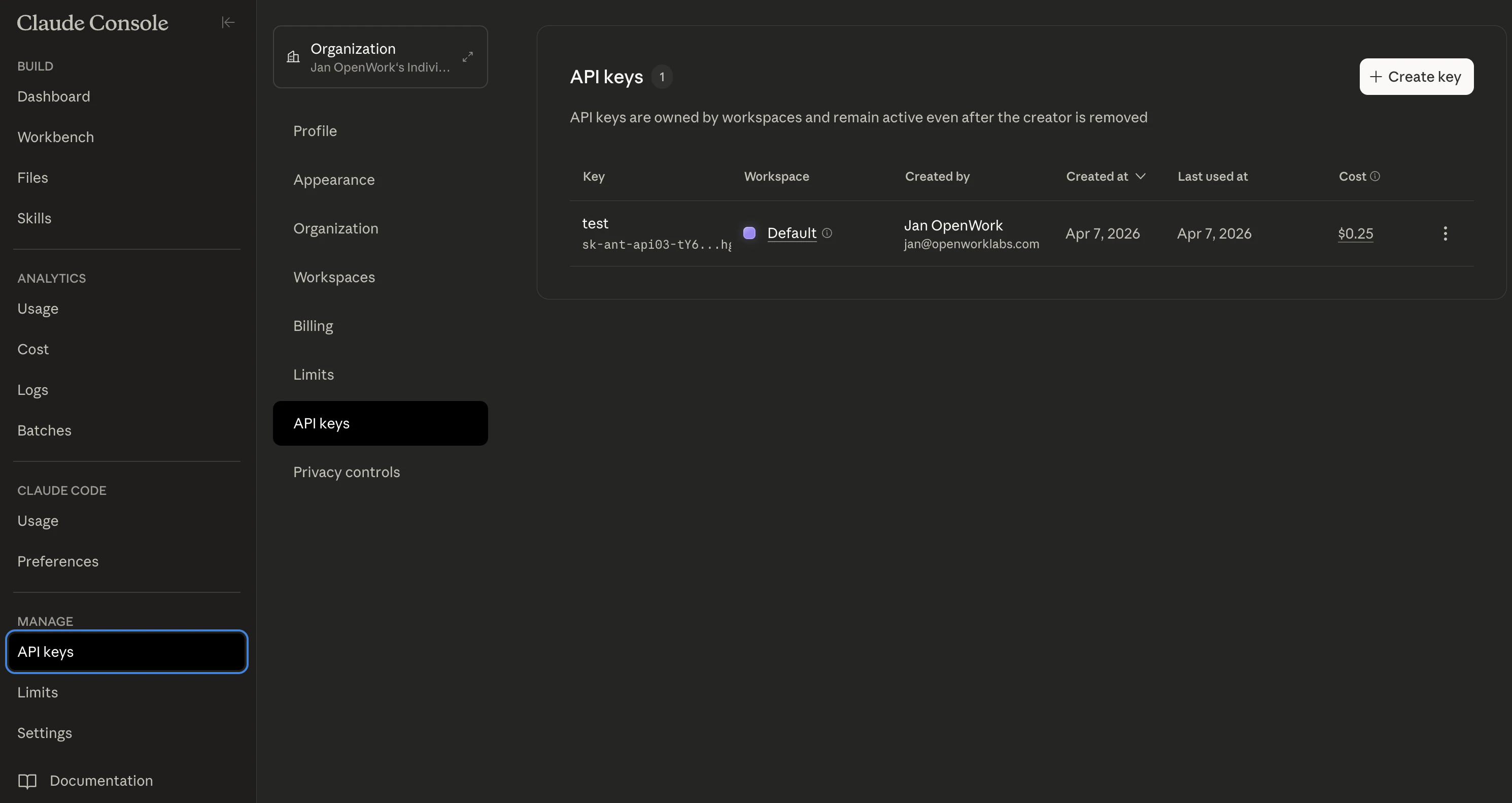
- Click
Create Key. - Give the key a recognizable name like
OpenWork.
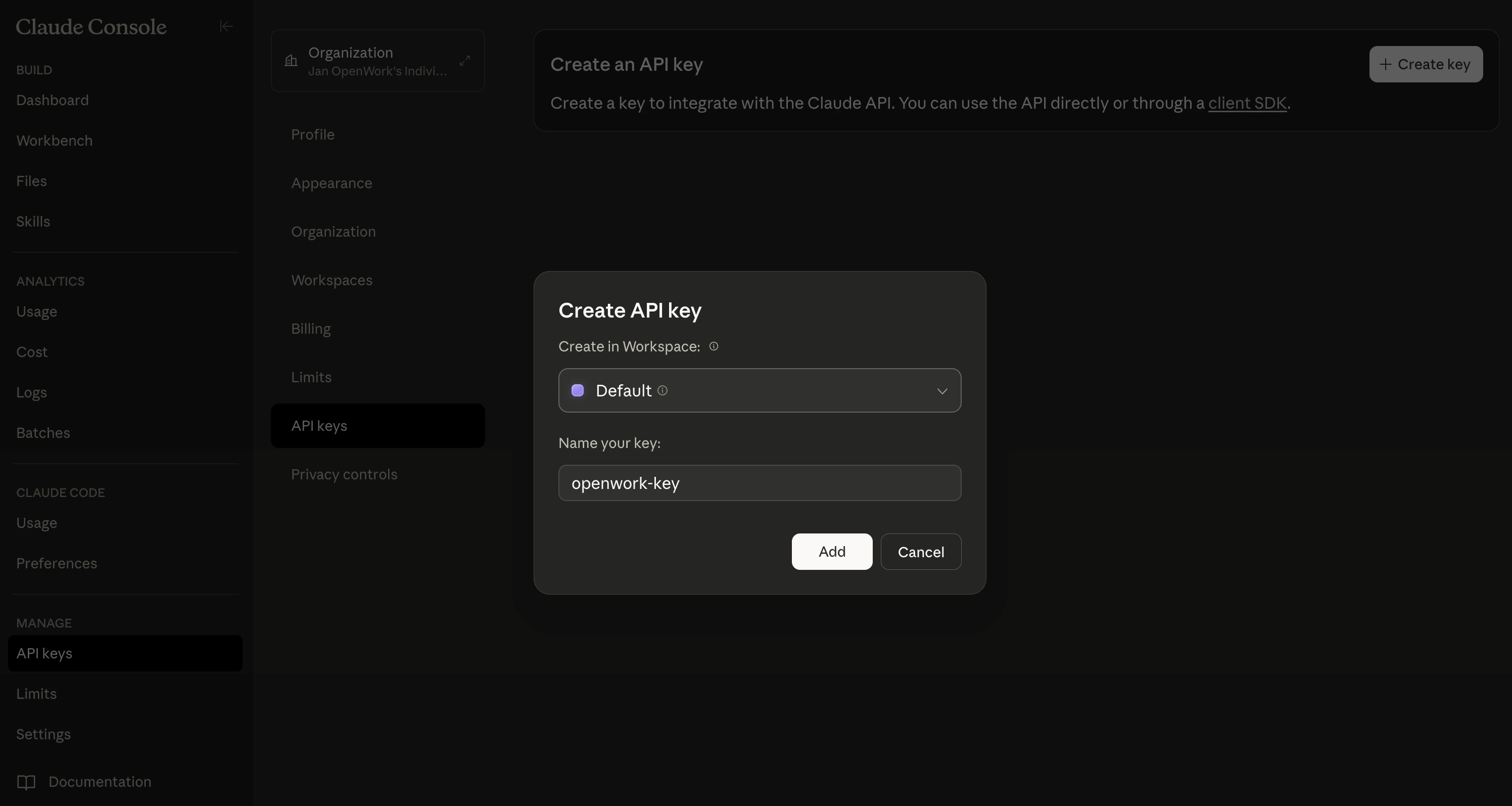
- Copy the new key right away. It should look like
sk-ant-....
Add the key to OpenWork
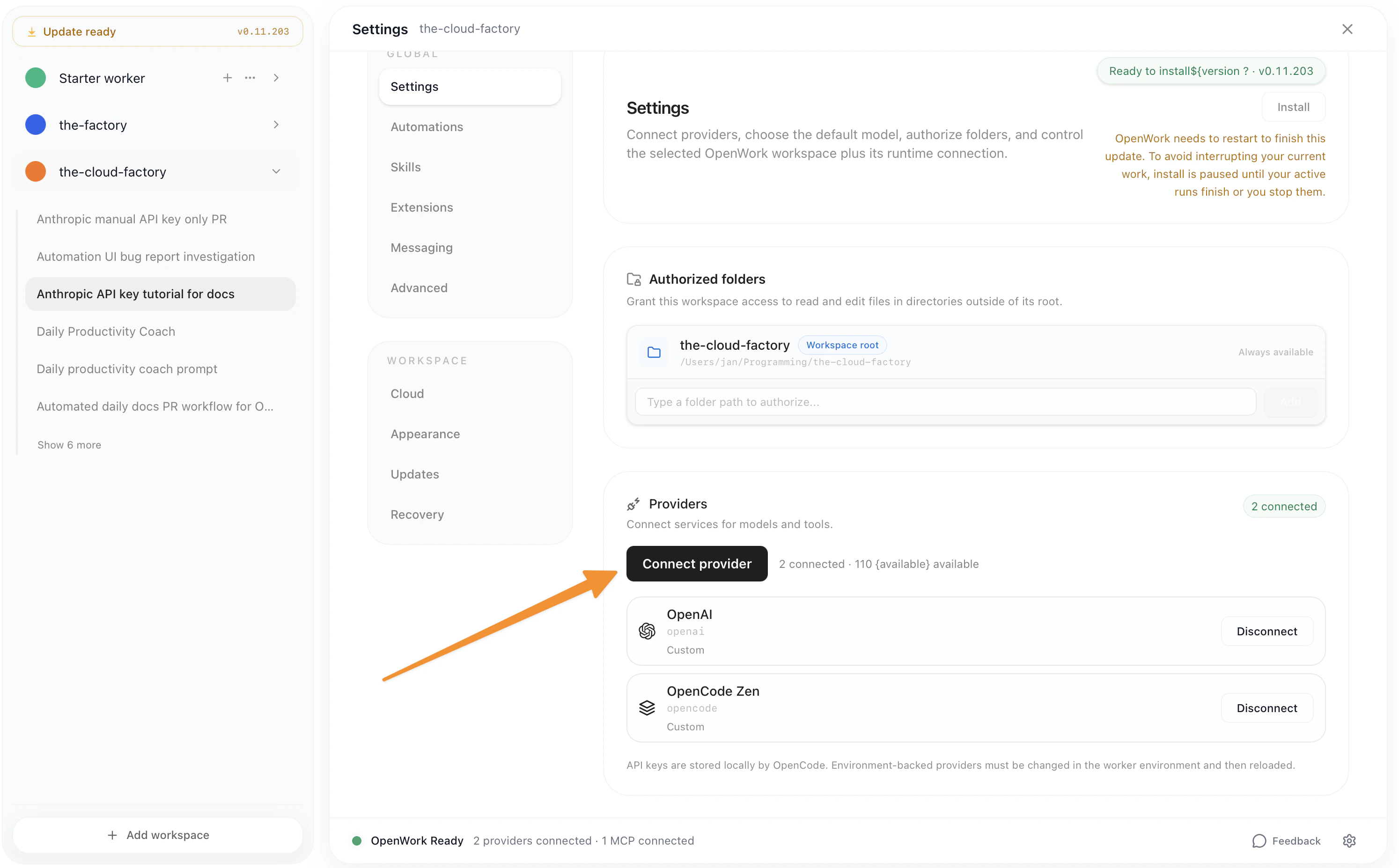
- Open
Settingsin OpenWork. - Go to
Connect Providerand chooseAnthropic. - Paste the API key into the manual key field.
- Save the provider, then choose an Anthropic model in chat.
Common issues
- If the key is rejected, make sure you copied the full value without extra spaces.
- If you cannot see
API Keys, check that your Anthropic account has API access and billing set up. - If you lose the key, create a new one in Anthropic and update OpenWork with the new value.